Skip to content
Picture of ApniPathshala Logo Primary
  • Start A Pod
  • Pods
  • Apna PC
  • What We Do
    • Stories
    • Comics
    • Courses
  • Blogs
  • Live Map
  • Start A Pod
  • Pods
  • Apna PC
  • What We Do
    • Stories
    • Comics
    • Courses
  • Blogs
  • Live Map
What’s new
View all updates
Picture of ApniPathshala Logo Primary
What’s new
View all updates

Search

cancel

Notifications

  • Collaboration with NCSM
  • Read, How a small POD is changing lives
  • Read, Pros and Cons of Homeschooling
  • Read, Microschooling a new way to learn

Suggestions

Non - Profit PODs
Apna PC
POD Manual
How to start a POD?
What is a POD?
Mumbai
Delhi
What is a Microschool?
Instagram
Apply to open a POD

Follow Us:

Facebook X-twitter Youtube Instagram Phone-alt Envelope

Need Help?

  • How to Apply for a POD
  • What is Apni Pathshala?
  • Understanding the Incubation Phase
  • Weekly Responsibilities During Incubation
  • Monthly Responsibilities During Incubation
Picture of ApniPathshala Logo Primary
cancel
  • Home
  • Start A Pod
  • Pods
  • Apna PC
  • Blog
  • Comics
  • Courses
  • Dr. Malpani’s Insights
  • Student Stories
  • Live Map
  • About Us
  • Contact Us
  • Home
  • Start A Pod
  • Pods
  • Apna PC
  • Blog
  • Comics
  • Courses
  • Dr. Malpani’s Insights
  • Student Stories
  • Live Map
  • About Us
  • Contact Us
Facebook X-twitter Youtube Instagram Phone-alt Icon-email1

POD Operating Manual

Getting Started

2
  • How to Apply for a POD
  • What is Apni Pathshala?

POD Operations for POD Leaders

34
  • SOP: Student Data Management & Attendance Tracking
  • SOP — Managing POD Inventory & Equipment
  • SOP — How to Log Complaints & Request Tech Support
  • SOP — How to Log Complaints & Request Tech Support
  • SOP — How to Manage Courses & Curriculum | POD Leader Guide
  • SOP — How to Submit Weekly Insights | POD Leader Guide
  • Standard Operating Procedure — Student Data Management & Learning Portal Sync
  • Standard Operating Procedure — Media Library & Digital Asset Management
  • Standard Operating Procedure: Complaints & Technical Support Management
  • SOP — Success Stories | POD Leader Guide
  • Complaint Submission SOP
  • SOP — How to Fill Weekly Insights | POD Leader Guide
  • SOP — How to Fill Monthly Insights | POD Leader Guide | Apnipathshala POM
  • Configure Innovative Teaching Methods in Apni Pathshala PMS
  • Submit Student Success Stories Using Apni Pathshala PMS
  • How to upload weekly report on PMS
  • Skill Development Cluster
  •  Employment Cluster – Definition Structure
  • Digital Literacy Cluster – Definition Structure
  • Academic Empowerment Cluster Definition Structure
  • One-Year POD Standard (Aligned to AP Phases 0–3)  
  • Post-KYC Meeting with the POD
  • SOP: Software Testing Before POD Launch
  • SOP for New POD Applications (Complete, Priority-Arranged)
  • Curriculum Assessment & Design for PODs
  • Shipment, Delivery & PC Setup Guide
  • How to Raise a Hardware Complaint
  • Red Flags and Corrective Actions
  • Usefull Tools and Templates
  • Final Evaluation of Incubation
  • Core Evaluation Criteria
  • Monthly Responsibilities During Incubation
  • Understanding the Incubation Phase
  • Weekly Responsibilities During Incubation

ApniPrerna

5
  • Deleting Old or Unused User Accounts
  • Deleting Unwanted Applications
  • How to Create Student Login Credentials in Apni Prerna
  • How to Install Apni Prerna Software on a Windows PC
  • SOP: Installation of Apni Prerna on Linux PCs 
View Categories

SOP — How to Submit Weekly Insights | POD Leader Guide

Apni Pathshala VED | Standard Operating Procedure

Target Audience: POD Leaders, Coordinators, & Trainers
Platform: Apni Pathshala VED

Purpose

This SOP guides POD Leaders through the process of filling out and submitting Weekly Insights on the Apni Pathshala VED platform. These logs capture essential data regarding weekly attendance, teaching hours, curriculum coverage, student engagement, PC complaints, and operational challenges.CRITICAL REQUIREMENT: Weekly Insights are mandatory. The system requires at least one approved Weekly Insight for a given month before allowing the submission of Monthly Insights for that period.

Accessing the Platform

  1. Log in to the VED portal at https://ved.apnipathshala.org/login.
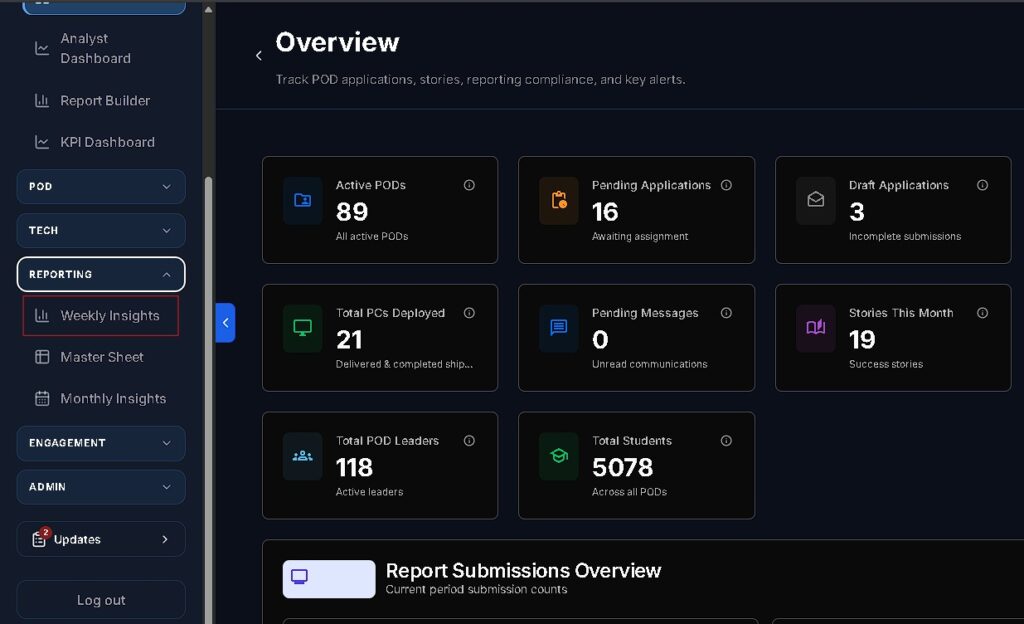
  2. Navigate to the left sidebar and select Weekly Insights under the Reporting section.
  3. Click the “+ Submit Weekly Insight” button located at the top right of the page.
Operational Guidelines

1. Reporting Window & Deadlines

  • Frequency: Submissions should occur every Friday evening or Saturday at the end of the POD’s operating week.
  • Eligibility: Leaders can submit for the current week and any previous weeks that have been unlocked by a POD Admin.

2. Draft Auto-Save Functionality

  • The form utilizes real-time auto-saving. If the browser is closed or navigation occurs away from the page, progress is restored upon return.
  • Drafts are automatically cleared once the final submission is successful.

3. POD Status Selection

  • Active POD: Select this if classes were conducted during the week. All 5 form sections must be completed.
  • Inactive POD: Select this if the POD was closed (e.g., holidays, maintenance, or emergencies). This disables Sections 2 through 5, requiring only a comment explaining the inactivity.

Step-by-Step Form Instructions

Section 1: Period & POD Status

  • Select POD: Automatically selected for single-POD managers; others must select the specific POD.
  • Select Reporting Week: Choose the Monday start date of the operating week. The end date is calculated automatically.
  • Submitted By: Enter your full name (e.g., Person).
  • POD Status: Mark as Active or Inactive.
  • Comment on POD Status: Provide operational context or reasons for closure.

Section 2: Weekly Activity Overview (Active PODs Only)

  • Average Student Count (Daily): The typical daily attendance for the week.
  • Active Days: Number of days classes were physically held (0–7).
  • Total Classes & Hours: Total sessions conducted and cumulative instructional hours (decimals allowed).
  • Topics Covered: Detailed list of subjects, software (e.g., MS Word, Canva), or skills practiced.
  • Key Achievements: Notable milestones or standout student performances.

Section 3: Learning Feedback & Support

  • Engagement & Satisfaction: Rate student engagement (Low to Very High) and your own satisfaction (1 to 5 stars).
  • Assignments: Indicate if projects were completed and provide details.
  • Learning Resources: Check applicable boxes (LMS, YouTube, Printed Worksheets, etc.) and comment on their effectiveness.
  • Assessments & PC Complaints: Report any tests conducted and link to existing or new complaint tickets for hardware issues.

Section 4: Challenges Faced

  • Attendance Issues: Identify causes such as festivals, exams, or personal work from the dropdown.
  • Operational Hurdles: Check all applicable challenges (Technical, Connectivity, Syllabus speed).
  • Action Taken: Provide specific details on how challenges were addressed.

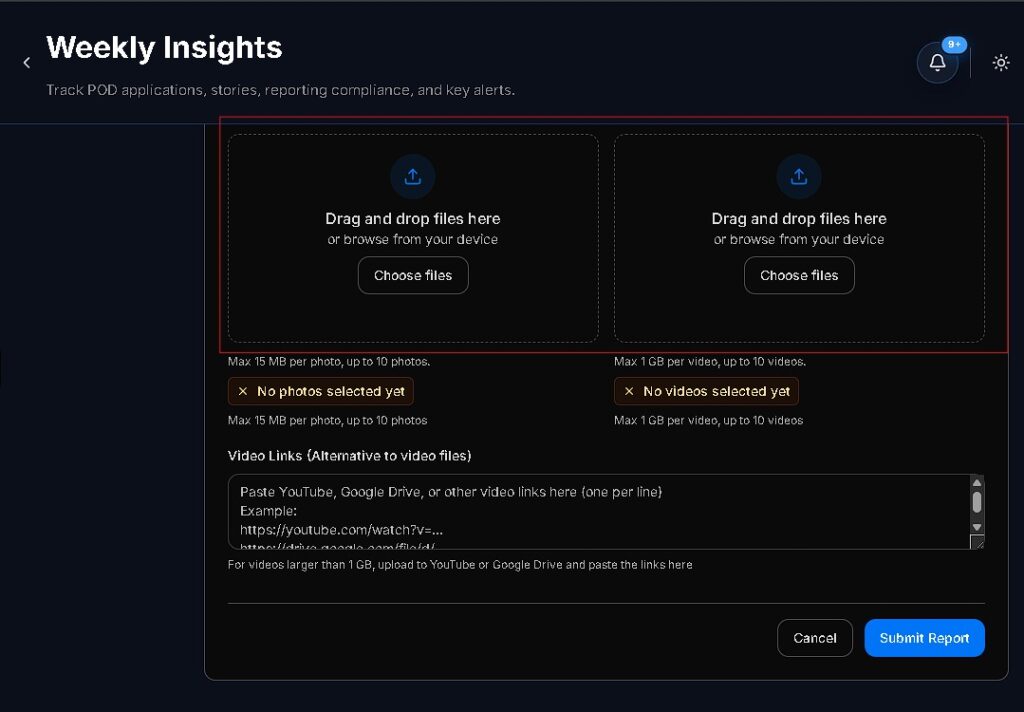
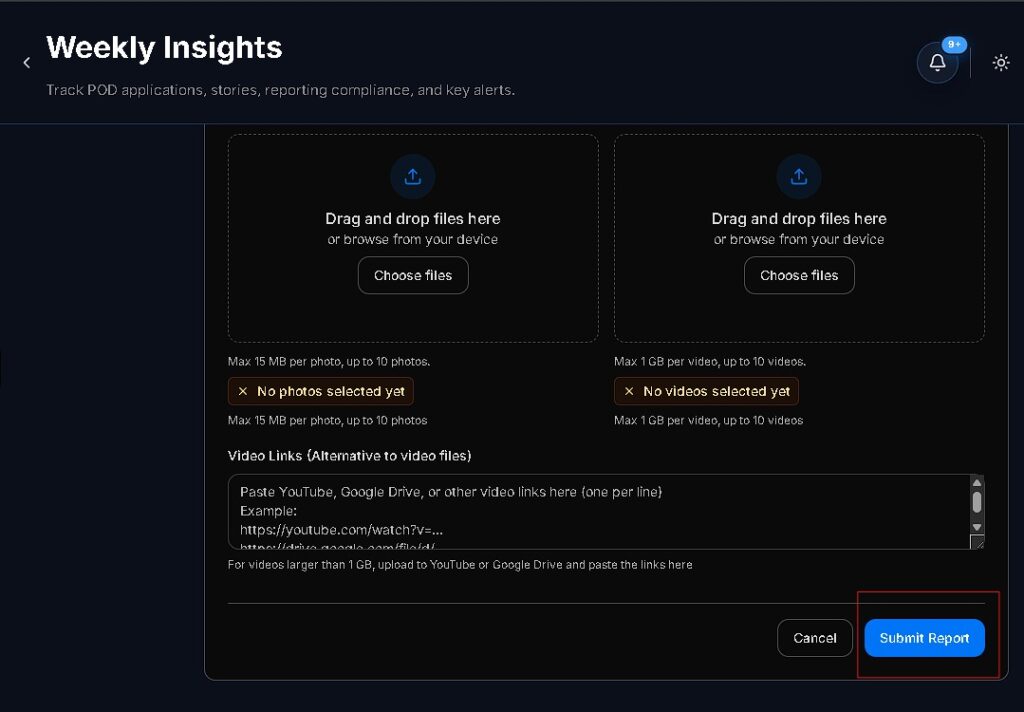
Section 5: Evidence & Media Uploads

  • Required Photos: Upload 2 to 4 clear images showing students working, whiteboard sessions, or attendance registers.
  • Optional Media: Upload video clips (max 500 MB) or provide external links to Google Drive/YouTube.
Report Workflow & Statuses

StatusDescription
DRAFTProgress is saved but not yet sent for review.
SUBMITTEDReport is pending review by the POD Admin.
APPROVEDReport is accepted; data is aggregated for Monthly Insights.
NEED EDITAdmin requested changes. Read feedback, revise, and resubmit.

Common Mistakes to Avoid

  1. Inconsistent Data: Marking a POD as “Active” but entering 0 “Active Days”.
  2. Generic Comments: Using single-word entries like “Good” in required comment fields.
  3. Unlinked Complaints: Selecting “Yes” for PC Complaints without linking a ticket.
  4. End-of-Month Batching: Delaying weekly reports until the end of the month, which stalls Monthly Insight approvals.

Support

  • Technical Assistance: Click the “Request Support Call” button on the form.
  • Operational Queries: Contact your assigned POD Manager via the Complaints & Issues or Communications modules.
How good did it answered your questions?

Share This Article :

  • Facebook
  • X
  • LinkedIn
  • Pinterest
Still stuck? How can we help?

Still stuck? How can we help?

Updated on September 4, 2026
SOP — How to Manage Courses & Curriculum | POD Leader GuideStandard Operating Procedure — Student Data Management & Learning Portal Sync

Start Small.

Change Everything.

Open a POD in your area and light up young minds.

Start a POD
Talk To Us
Picture of ApniPathshala Logo Primary

ApniPathshala supports community leaders, parents, and educators in creating and running local learning centres or microschools by providing the guidance, resources, and ecosystem needed for sustainable, community-driven education.

Quick Links

  • Blogs
  • About Us
  • Contact Us
  • Comics
  • Social Media
  • Terms & Conditions
  • Volunteering
  • Vacancies
  • Live Map
  • Blogs
  • About Us
  • Contact Us
  • Comics
  • Social Media
  • Terms & Conditions
  • Volunteering
  • Vacancies
  • Live Map

Get our newsletter

2 mails every week. No spam.

Facebook Linkedin X-twitter Youtube Instagram Phone-alt Envelope

Founded by:

Dr.Aniruddha Malpani

Copyright © 2025 APNIPATHSHALA. All rights reserved.