


The moment a child gets access to a computer, every parent feels the same knot in their stomach.
“Will they actually study… or will this turn into games and videos?”
This fear is not irrational. Most “computer centres” in India do turn into cyber cafés.
So when parents hear words like “No teacher” and “self-learning,” their first reaction is not excitement.
It’s fear.
This creates a massive challenge for Community Learning centres (PODs).
If you’re new to the idea of PODs, this explains what a Community Learning Centre actually is and why it exists in the first place.
If we put 10 computers in a room with 10 students and no teacher, how do we stop it from becoming a Cyber Cafe? How do we ensure they are coding Python and not playing games?
The answer isn’t to shout at them. The answer is to change the environment itself.
Meet ApniPrerna.
1. What Exactly Is ApniPrerna (And Why Parents Asked for It)
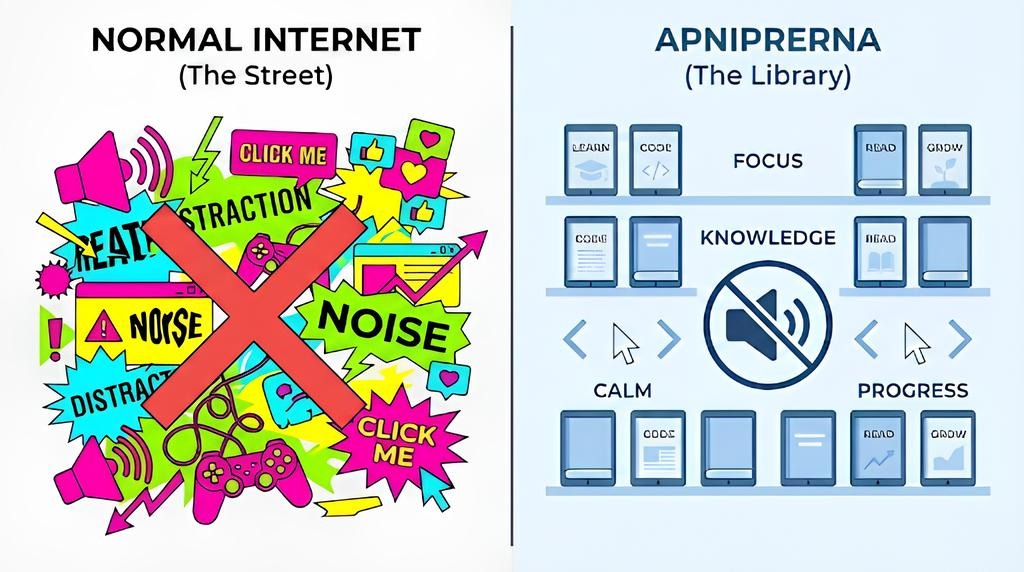
To solve the distraction problem, we didn’t just install a blocker; we built an ecosystem.
ApniPrerna (Progressive & Responsible Environment for Nurturing Advanced Growth) is the custom digital system that powers every computer in an ApniPathshala POD.
Think of it as a “Digital Librarian.”
When you walk into a library, you instinctively lower your voice. Not because a guard forces you to, but because the environment is designed for reading. ApniPrerna does the same for the computer.
It is a digital environment designed strictly for learning, automatically turning the computer from a “Toy” into a “Tool” the moment a student sits down.
But how does it actually distinguish between learning and playing?
2. How It Actually Works: A Day in the Life
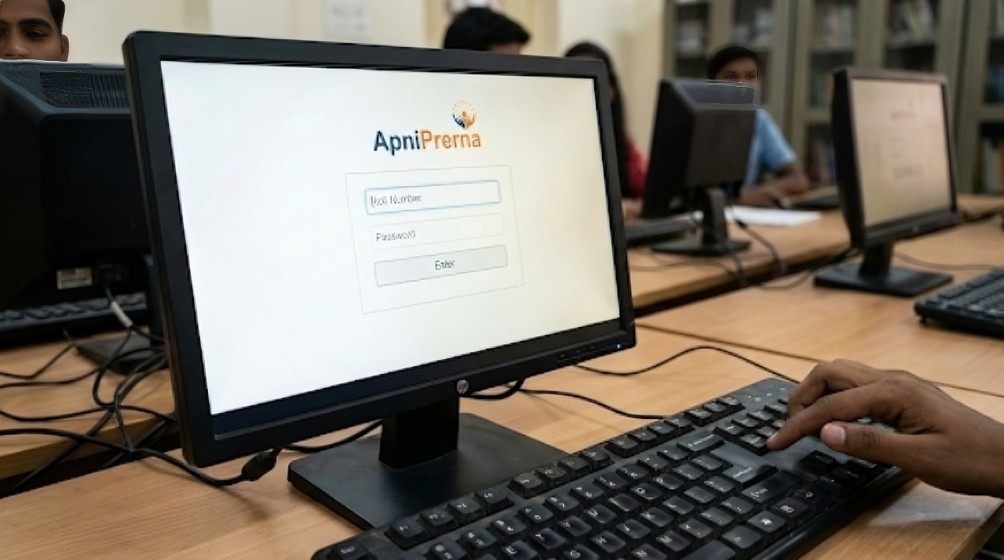
To understand why this system is so effective, let’s look at exactly what happens when your child sits down at a POD. It follows a specific three-step journey.
Step 1: Why Children Can’t “Disappear” Behind the Screen)
It starts before they even touch the internet. When a student sits at the PC, they cannot browse anonymously. They must enter their Unique Roll Number.
This simple step changes their mindset immediately. They realize, “This session belongs to me. My progress is being tracked.” It creates instant ownership.
Step 2: How Distractions Are Blocked Before the Internet Even Opens
Once they enter their ID, the ApniPrerna system activates.
Imagine a door closing on a noisy street and opening into a quiet classroom. That is what happens digitally. The chaotic, distraction-filled internet is blocked, and the study environment loads.
Step 3: Why Games and Unsafe Sites Simply Don’t Work Here
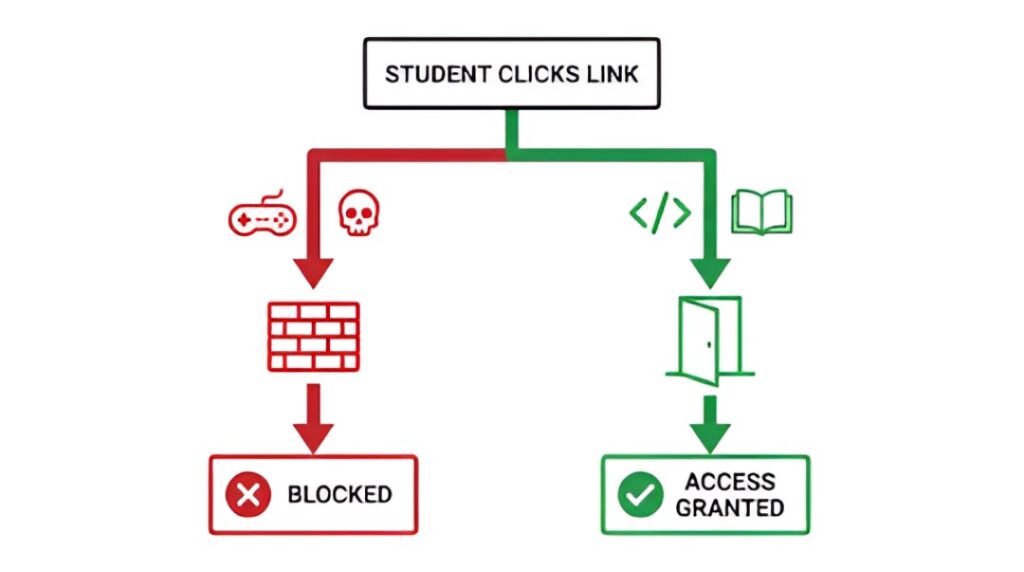
The student opens Chrome.
But this isn’t the open internet where they can stumble onto unsafe websites or addictive games.
- Try to open a coding tutorial? It opens instantly.
- Try to open a violent video game site? It is blocked.
- Try to download a virus? It is stopped.
The student doesn’t need to use willpower to fight distractions. The system removes the temptation for them.
3. Why Normal Computers Were Never Safe Enough
You might be wondering: Why go to such lengths? Why not just use normal computers?
We built ApniPrerna because we believe safety shouldn’t be an afterthought.
- Protection: The internet has dark corners. ApniPrerna ensures your child never accidentally stumbles into them.
- Consistency: Whether a student is in a POD in a village in Maharashtra or a city in Delhi, the rules are exactly the same.
- Discipline: We aren’t just teaching coding; we are teaching Digital Hygiene. Learning to focus in a world of noise is a superpower.
However, we know that “monitoring software” can sound scary to parents, so let’s clarify what this system is not.
4. What This System Does NOT Do (Important for Parents to Know)
Parents often ask: “Is this a spy tool? Are you watching my child?”
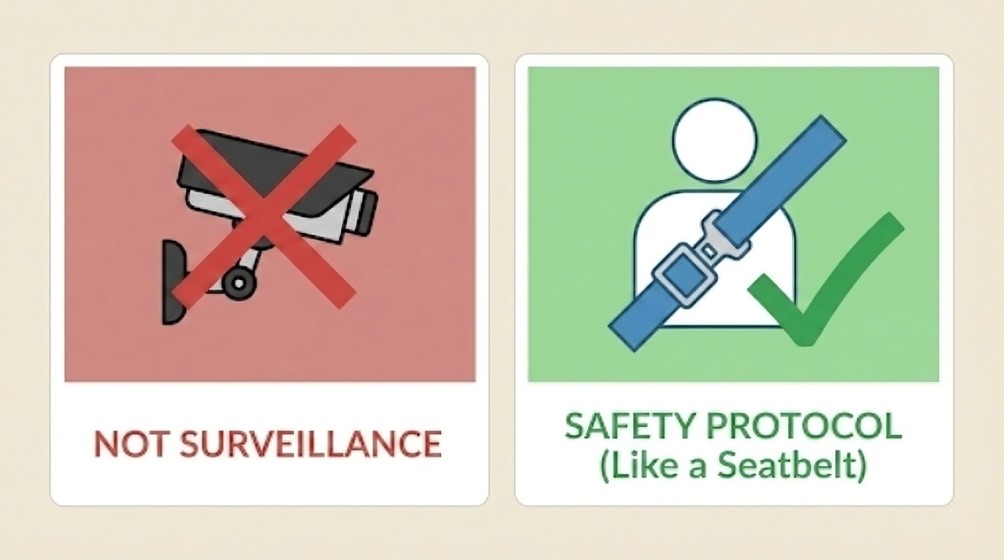
It is vital to be clear about the limits of this system.
- It is NOT a Surveillance Camera: We do not watch your child through webcams.
- It is NOT a Punishment Tool: It doesn’t scold students. It simply guides them.
- It is NOT a Replacement for Mentors: The mentor is still there to help. ApniPrerna just handles the discipline so the mentor can focus on encouragement.
Think of it like a seatbelt. A seatbelt restricts your movement slightly, but only to keep you safe and moving in the right direction. It doesn’t drive the car for you; it just ensures you survive the journey.
5. What This Means for You as a Parent
Ultimately, what does this mean for you?
For parents, ApniPrerna offers the most valuable thing of all: Peace of Mind.
When you send your child to an ApniPathshala POD, you don’t need to worry about what they are doing on the screen.
- You know they aren’t wasting time on social media.
- You know they aren’t viewing unsafe content.
- You know that every minute spent at the centre is “Education First.”
It allows you to trust the process. You don’t have to be the “policeman” checking their history. You can simply be the parent who celebrates their progress.
Conclusion: Safety Isn’t About Control.
When children sit in front of a computer, the real risk isn’t curiosity, it’s lack of structure.
Community Learning Centres only fail when they copy the open, unmanaged internet.
They succeed when the environment itself guides behaviour.
ApniPrerna proves that self-learning does not mean unsupervised learning.
It means responsible learning, where distractions are removed, safety is built in, and focus becomes natural.
This is how PODs stay learning centres, not cyber cafés.
And this is why parents can trust the process without standing behind the screen.
ApniPrerna is the final piece of the puzzle that makes our model work.
Still wondering if this learning environment is right for your child?
👉 Take a closer look at how Community Learning Centres work beyond just computers, from safety systems to guided learning support.
Ready to provide your students with a safe and enriching online learning experience? Discover how Apna PC can transform our digital education! Visit our Apna PC page
Share this blog with parents, teachers, and anyone who wants to ensure a safe learning experience for children.
How does ApniPathshala keep children safe while learning online?
ApniPathshala uses ApniPrerna, a controlled digital environment that blocks unsafe websites, games, and distractions. Students can access only learning-related platforms, ensuring a safe and focused online experience.
How are community microschools different from traditional schools?
Traditional schools often emphasise standardised teaching and exam scores, which can stifle curiosity and confidence. Microschools, on the other hand, provide small group learning, personal attention, and self-directed learning, helping students become independent thinkers rather than passive learners.
What happens in a community microschool?
In a microschool like ApniPathshala:
- Students learn by doing, not memorising
- Technology and AI tools support personalised learning
- Adults act as mentors, not bosses
- Mistakes are treated as feedback, not failure
This leads to confidence, self-motivation and real skills.
How does ApniPathshala support this new learning model?
ApniPathshala grows neighbourhood microschools by offering safe learning environments, access to digital tools, mixed-age grouping, and mentors who guide rather than dictate. This model is simple, human-centred, and low-cost with high impact.


2 Responses
How may I install Apni Prerna?
telegram virtual number