Digital learning is any learning that uses digital tools, such as computers, tablets, smartphones, educational apps, videos and the internet, to help students understand, practise and create. It can happen in a classroom, a computer lab or at home, with or without a teacher present, and it works best alongside good teaching.
A child watching a maths video on a shared phone is learning digitally. So is a Class 8 student typing her first document in a computer lab. So is a teacher showing a science simulation on a projector.
The device matters less than what the learner does with it.
That is why digital learning in education is not about replacing teachers or textbooks. It gives students more ways to learn, more chances to practise, and the digital literacy they will need for college and work.
This guide explains the meaning, the main types, the benefits and the real challenges in India. It also shows how a school or a family can start with only a few devices.
Digital Learning vs Online Learning vs E-Learning
People often use these three terms as if they mean the same thing. They overlap, but they are not identical. Digital learning is the widest term. Online learning and e-learning sit inside it.
| Term | What it means | Needs internet? | Everyday example |
| Digital learning | Any learning that uses digital tools, online or offline | Not always | Practising typing on a lab computer, or watching a downloaded lesson |
| Online learning | Learning that happens over the internet, often in real time | Yes | A live class on a video call |
| E-learning | A structured course delivered electronically, usually self-paced, with lessons and quizzes | Usually | A SWAYAM course with video lectures and assignments |
Definitions vary a little from one source to another, but this is the common usage.
The simple rule: all online learning and e-learning is digital learning, but not all digital learning needs the internet. That difference matters in India, where a learner may have a device but a weak connection.
Types of Digital Learning
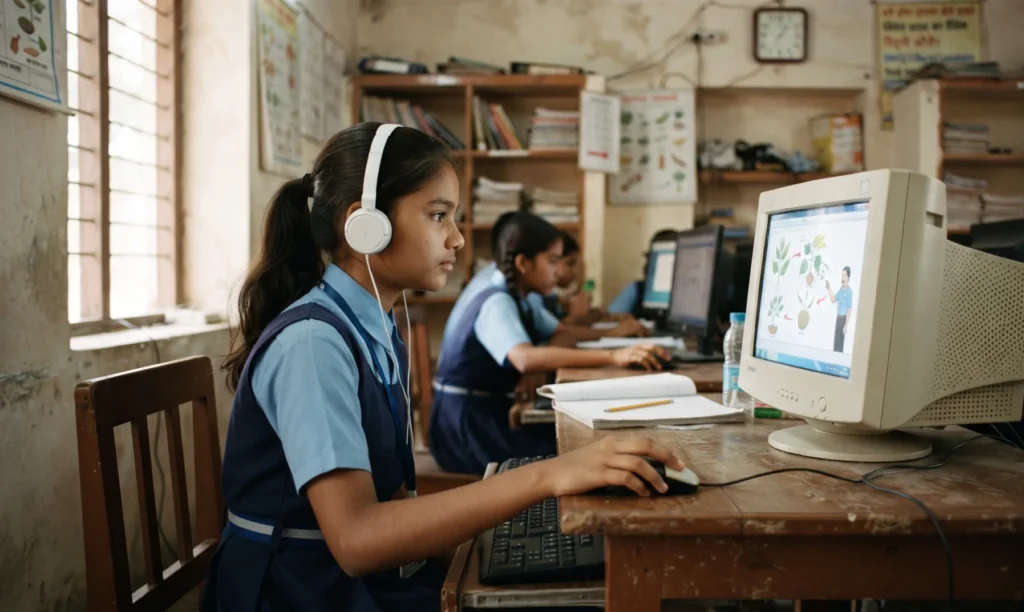
Digital learning comes in several forms. Most schools and families end up using a mix of the four below.
Self-paced learning
The student learns alone, at a speed that suits them. They watch a recorded lesson, pause it, replay it and try the practice questions.
Nobody is left behind because the class moved on. Nobody is held back because the class moves too slowly. This suits revision, skill courses and any student who is shy about asking the same question twice.
Blended learning
Blended learning mixes classroom teaching with computer time. The teacher explains a topic, and students then practise it on a device, or the other way round.
For most Indian schools this is the most realistic type. It keeps the teacher at the centre and needs only a few shared computers, not one device for every child.
Live online classes
A teacher and students meet at a fixed time on a video call. Students can ask questions and get answers straight away.
Live classes help when a subject teacher is not available locally. They do need a steady internet connection and a quiet place to sit, which many homes do not have.
Game-based and AI-supported learning
Game-based learning turns practice into quizzes, points and levels. It works well for younger children and for drill-heavy topics such as tables, spelling and typing.
AI-supported learning uses tools that respond to each student. An AI tutor can explain a concept again in simpler words, or give the next question based on the last answer. Students still need an adult to guide them, and they need to learn to check what the AI tells them.
Benefits of Digital Learning for Students and Teachers
Digital learning helps when it adds something a blackboard and a textbook cannot. Here is what it adds.
For students
- Learning at their own pace. A student can replay a lesson as many times as needed, without feeling embarrassed.
- Seeing, not just reading. Videos, animations and simulations make hard ideas in science and maths easier to picture.
- More practice with quick feedback. A quiz tells the student what went wrong at once, while the topic is still fresh.
- Access beyond the school. A learner in a small town can use the same free courses as a learner in a big city.
- Skills for life. Typing, searching, making a presentation and filling in an online form are skills every student will need later.
For teachers
- Ready teaching material. Free platforms offer videos, worksheets and question banks linked to the curriculum.
- A clearer picture of each child. Quiz results show who has understood a topic and who needs help.
- Time for what matters. When practice and marking are partly handled on a device, the teacher can spend more time with students who are struggling.
- Their own growth. Teachers can take free training courses online without travelling.
One honest point: a device alone does not produce these benefits. They appear when a teacher or mentor plans how the device will be used.
Challenges of Digital Learning in India
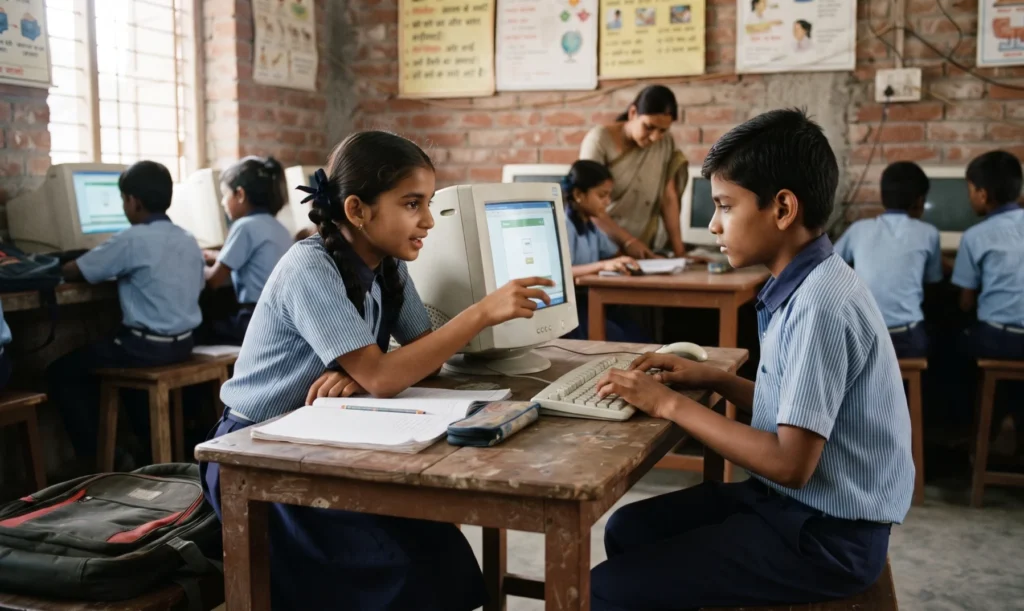
Digital learning in India is growing fast, but it is not yet equal. Four gaps hold it back. The figures below were checked against official sources on 14 November 2026.
Devices
Many schools still have no computers for students. According to the Ministry of Education’s UDISE+ 2024-25 report, 64.7% of schools in India have computer access. That is up from 57.2% a year earlier, but it still leaves roughly one school in three without a single computer.
At home, the device is usually a phone, and it is usually shared. The ASER 2024 survey of rural India found that, among 14- to 16-year-olds who could use a smartphone, only 27% of 14-year-olds and 37.8% of 16-year-olds had a phone of their own.
Internet
The same UDISE+ report shows that 63.5% of schools have an internet connection. Home access is higher. The Comprehensive Modular Survey: Telecom, 2025 by the Ministry of Statistics found that 86.3% of households have internet access within their premises (83.3% in rural areas and 91.6% in urban areas).
But access is not the same as learning. In ASER 2024, 82.2% of rural 14- to 16-year-olds said they knew how to use a smartphone. Of these, 57% had used it for an educational activity in the previous week, while 76% had used it for social media.
Language
Much of the best learning content is in English. A child who studies in Hindi, Marathi, Tamil or any other Indian language needs lessons in that language to learn well. Government platforms such as DIKSHA now offer content in many Indian languages, but schools and parents often do not know where to find it.
Teacher training
A computer lab helps only if someone knows how to use it for teaching. Where teachers have not been trained to plan a lesson around a device, the computers often stay switched off or are used only for typing practice.
None of these gaps is a reason to wait. They are a reason to start small and to share what is available.
Free Digital Learning Resources and Platforms
You do not need to pay for good content. Each digital learning platform below is free to use, and each one is a digital learning resource a school can start with tomorrow.
| Platform | Run by | Best for | What you get |
| DIKSHA | NCERT, Ministry of Education | School students and teachers, K-12 | Curriculum-linked lessons, practice questions and teacher training. Content can be downloaded and used offline. |
| SWAYAM | Ministry of Education | Older students, college learners and teachers | Free courses from leading institutions. A certificate needs a proctored exam, which has a fee. |
| SWAYAM Prabha | Ministry of Education | Homes and schools without internet | Educational programmes on free DTH television channels, round the clock. |
| Khan Academy | Khan Academy, a non-profit | Maths and science practice | Video lessons and practice exercises in English and several Indian languages, including Hindi. |
A few facts worth knowing:
- DIKSHA is described by the government as the “One Nation, One Digital Platform” for school education. Its QR-coded Energised Textbooks link printed NCERT books to videos and teacher guides. As of 27 June 2026, it had 2.25 crore registered users (PIB factsheet).
- SWAYAM offered over 4,400 courses as of January 2026 (PIB, 10 March 2026).
- DIKSHA and Khan Academy are also available as digital learning apps, so a family with one smartphone can use them at home.
Start with one platform. A school that uses DIKSHA well gains more than a school that signs up for five platforms and uses none. For step-by-step help, read our guide to DIKSHA and the other free government platforms.
How to Start Digital Learning With Few Devices
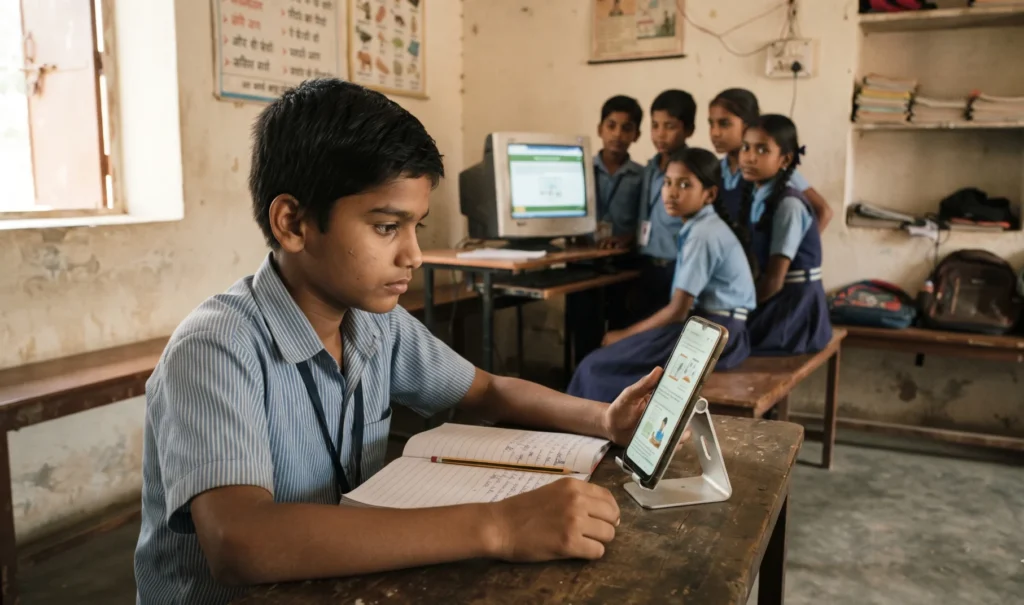
You do not need a device for every child. You need a few shared computers, one responsible adult and a timetable. Many digital schools began exactly this way.
The shared devices model
- Count what you have. Even five to ten working computers are enough to begin.
- Pair the students. Two students on one computer learn well together. One types while the other thinks aloud, and then they swap.
- Make a timetable. Split the day into short batches so every class gets a turn each week.
- Appoint a mentor. One teacher or volunteer keeps the room open, sets the task for each session and helps students who are stuck.
- Pick one platform and one goal. For example, DIKSHA practice for Classes 6 to 8, or basic computer skills for beginners.
- Download content in advance. If the internet is weak, save the lessons when the connection is good.
Here is an example of how far ten computers can go.
| What | Example plan |
| Computers | 10 |
| Students per batch | 20 (two per computer) |
| Batches per day | 5, one hour each |
| Seats per day | 100 |
| Sessions per student | 3 a week, over a six-day week |
| Students reached each week | 200 |
This is an illustration, not a fixed rule. Adjust the batch size and the hours to suit your school.
How Apni Pathshala PODs use this model
An Apni Pathshala POD (Point of Digital Learning) works on the same idea: few devices, many learners. A POD is a small computer lab run by a local school, NGO or individual for the children of that community.
Each POD receives ten computers with accessories from Apni Pathshala. The computers are leased, not donated. They come with educational software already installed. The local POD leader follows a learning plan and gets training, mentorship and tools to track each student’s progress.
Students share the computers in batches. They start with computer basics and move on to creativity, communication and coding. They learn by doing and by helping one another.
One student’s story
Amrutha is one of the students whose journey Apni Pathshala has shared. She began by learning how to use a computer. Today she works with documents and presentations, creates charts and explores new computer tools on her own. Watch Amrutha’s story.
She did not need a laptop of her own. She needed a seat, a turn and someone who believed she could learn.
If your school has no lab at all, you can still build students’ digital skills.
See how Apni Pathshala PODs bring digital learning to communities with shared computers. Explore the PODs or find one on the live map.
Frequently Asked Questions
1. What is digital learning?
Ans. Digital learning is any learning that uses digital tools such as computers, tablets, smartphones, apps, videos and the internet. It can take place in a classroom, a computer lab or at home, and it can work online or offline.
2. What are examples of digital learning?
Ans. Common examples include watching a recorded lesson on DIKSHA, practising maths on Khan Academy, taking a SWAYAM course, joining a live class on a video call, playing a spelling quiz game, and making a presentation in a computer lab.
3. Is digital learning better than classroom learning?
Ans. Neither is better on its own. Classroom teaching gives guidance, discussion and discipline. Digital learning gives extra practice, visual explanations and the freedom to learn at your own pace. Students gain the most when a teacher combines the two.
4. What are the disadvantages of digital learning?
Ans. The main disadvantages are unequal access to devices and internet, too little content in local languages, distraction from social media and games, and the lack of teacher training. Too much unguided screen time also worries many parents. A timetable and an adult mentor reduce most of these problems.