

Most students today are surrounded by screens. They watch videos, use mobile phones, search online, and sometimes even attend online classes. But one important question still remains:
Is screen access actually becoming real learning?
A child may use a mobile phone every day, but still not know how to use a computer properly. A student may sit in front of a computer, but without the right guidance, that time can easily turn into random browsing rather than skill-building. A community learning centre may have computers, but without proper tracking, it becomes difficult to know what students are learning, which devices are active, which child needs support, and how parents can see progress.
This is the gap Apni Pathshala is trying to solve.
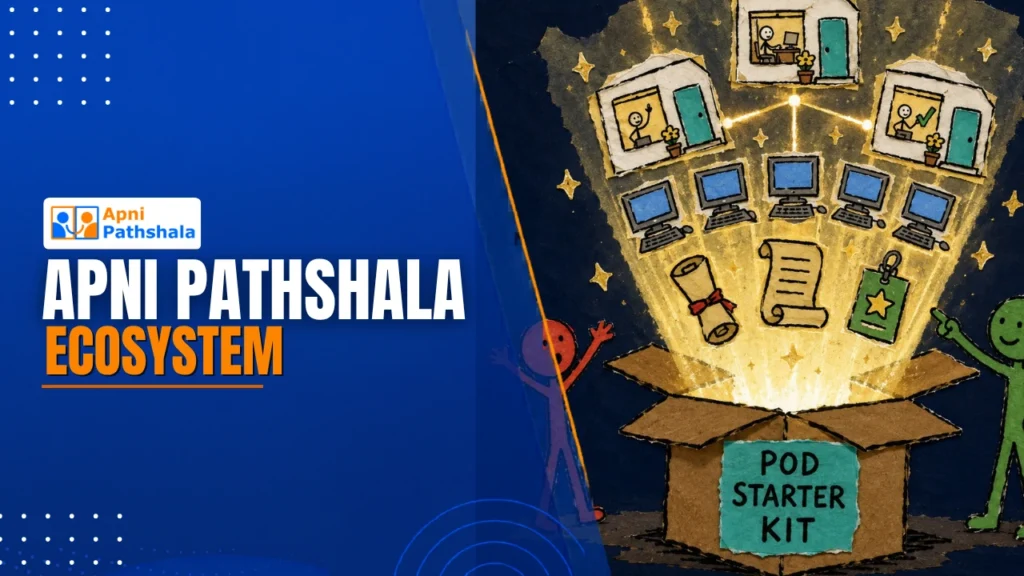
Apni Pathshala is building a complete tech ecosystem that connects students, POD leaders, parents, mentors, and the internal team into a single learning flow. The goal is simple: turn computer access into real learning progress.
Why a Connected Ecosystem Is Needed?
Many education programs stop at providing devices or content. But Apni Pathshala believes that digital learning needs more than just access.
A student needs a safe device.
A POD leader needs an easy reporting system.
A parent needs visibility.
A mentor needs learning data.
The internal team needs clear insights.
And the student needs the right curriculum and support.
Without a connected system, everything becomes scattered. Reports remain in forms, device issues remain in phone calls, student progress remains unclear, and parents do not know whether their child is actually learning.
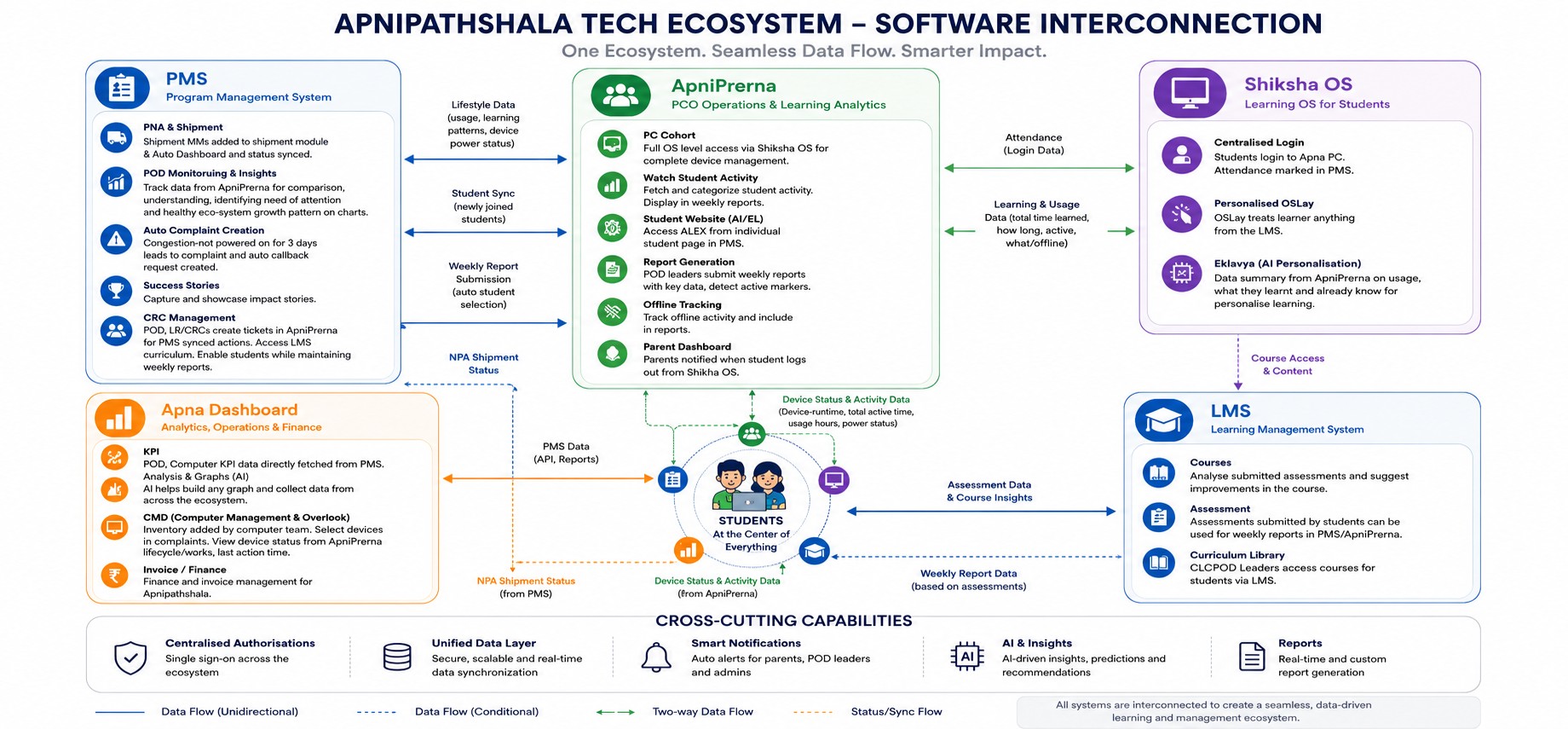
Apni Pathshala Tech Ecosystem at a Glance
Apna PC: The Starting Point of Digital Learning
Apna PC is where the learning journey begins. It gives students access to computers so they can learn to type, use the internet, create documents, use digital tools, learn coding basics, use AI tools, and develop practical computer skills.
For many students, this may be their first real experience with a computer. That matters because using a phone is not the same as being digitally skilled. A student may know how to watch videos, but may not know how to create a document, search safely, type properly or use online learning tools.
When Apna PC connects with Shiksha OS, ApniPrerna, LMS and Eklavya AI, it becomes more than a device. It becomes a guided learning machine.
Shiksha OS: Making the Computer Safer for Learning
A normal computer can become distracting if students open random websites, games or unrelated content. Shiksha OS is designed to make Apna PC more education-focused.
Through centralised login, every student can have their own learning identity. Their attendance, usage and activity can become part of the larger learning journey. This helps POD leaders understand who is learning, how often they are learning and where support is needed.
Shiksha OS helps turn a regular computer into a safer, more student-friendly learning environment.
ApniPrerna: Making Learning Visible
One of the biggest challenges in any learning centre is visibility. It is not enough to know that computers are available. The real question is: are students using them for learning?
ApniPrerna helps answer this question. It tracks student activity, computer usage, device health, offline activity and parent-level updates. If a device is inactive, the team can identify the issue. If students are learning regularly, their activity can be captured and understood.
In simple words, ApniPrerna turns hidden learning into visible learning.
VED (Virtual Ecosystem for Decentralisation): Keeping the POD Journey Organised
A POD is not just a room with computers. It is a community learning space that needs structure, reporting and regular support.
PMS, or POD Management System, helps manage the complete POD journey. It supports applications, shipment status, weekly and monthly reports, student data, complaints, callback requests and success stories.
For POD leaders, this reduces confusion. For the Apni Pathshala team, it gives a clear picture of which PODs are active, which centres need help and which students are learning consistently.
DRONA: Giving Students a Clear Learning Path
A strong learning centre needs more than devices. It needs the right curriculum.
LMS/DRONA helps students follow structured courses and assessments. Instead of learning at random, students can follow a structured learning path. If assessments show that students are struggling in a topic, the curriculum can be improved. If students are ready for the next level, the learning journey can move forward.
This helps POD leaders answer one important question: what should students learn next?
Eklavya AI: Support When Students Get Stuck
Every student learns differently. Some students need simple explanations. Some need revision. Some are ready for advanced learning. Some may hesitate to ask questions in front of others.
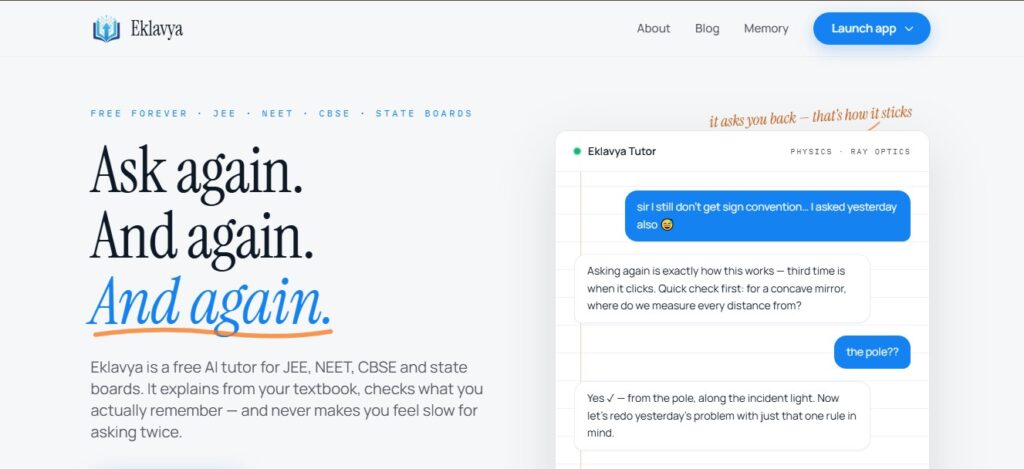
Eklavya AI gives students personalised learning support. It helps them ask questions, understand concepts and continue learning at their own pace. In a POD where a single mentor may support many students, Eklavya AI serves as an additional learning companion.
It does not replace mentors. It supports them by helping students become more independent learners.
Apna Dashboard: Helping the Team Take Better Decisions
As Apni Pathshala grows, manual tracking becomes harder. The team needs to know which PODs are active, which devices are working, where computers are shipped, what support is needed and what data should guide decisions.
Apna Dashboard brings important operational information into one place. It helps track KPIs, devices, inventory, shipment, invoices, finance and overall performance.
This helps the team move from reactive support to proactive support. Instead of waiting for problems to become serious, the team can identify early signals and act faster.
How Everything Works Together
The real power of Apni Pathshala’s ecosystem lies not in a single piece of software. The power is in interconnection.
A student uses Apna PC.
The student logs in through Shiksha OS.
Learning activity is tracked through ApniPrerna.
Courses and assessments are provided by DRONA.
Personalised support comes from Eklavya AI.
Reports and POD data connect with VED.
The internal team tracks the bigger picture through Apna Dashboard.
This creates a complete learning loop: device access, safe login, guided learning, AI support, activity tracking, reporting and decision-making.
Why This Matters?
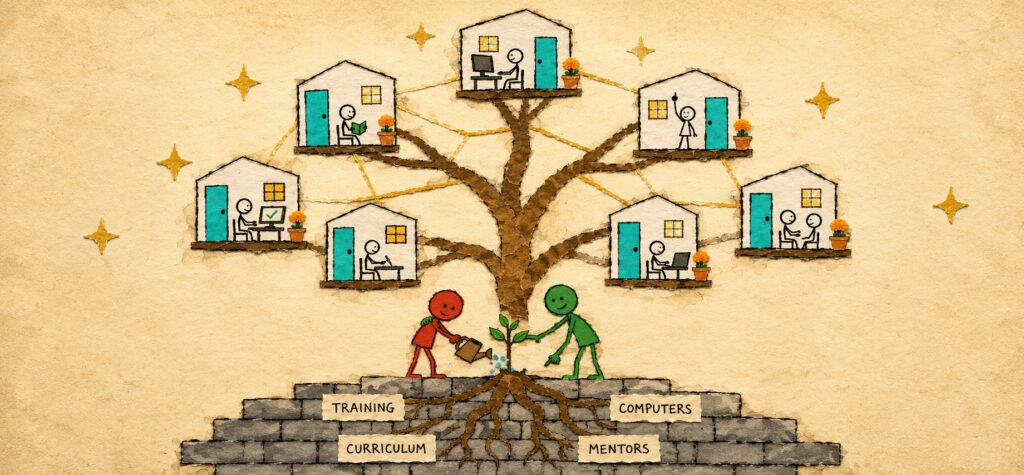
For students, this ecosystem means that digital learning becomes safer, more guided, and more useful. They are not only using screens; they are building skills.
For parents, it creates trust. They can understand that their child is not wasting time on a computer but learning something meaningful.
For POD leaders, it reduces manual pressure. Reporting, student tracking, device issues and learning progress become easier to manage.
For Apni Pathshala, it creates scale with quality. As more PODs join, the ecosystem helps keep learning visible and supports consistent, data-driven decisions.
Final Thought
Digital learning is not about giving students more screen time. It is about giving them the right device, the right environment, the right curriculum, the right guidance and the right support.
Apni Pathshala’s ecosystem brings all these pieces together.
It helps convert a computer lab into a learning system.
It helps convert screen time into skill time.
It helps convert a POD into a structured space for student growth.
This is not just software interconnection.
This is the foundation for a smarter, safer and more scalable community learning movement.
If you run a school, NGO, community centre, or learning space and want to help students build real digital skills, Apni Pathshala can support you with Apna PC, software systems, AI-driven learning support, mentorship, and a complete digital learning ecosystem.
Start a POD in your area and help students move from screen time to real learning.
Frequently Asked Questions
1: How can Apni Prerna improve my child’s digital learning?
Ans. Apni Prerna empowers parents with tools to safely, guide, and encourage healthy digital habits, helping children learn more effectively and safely.
2: Who can start an Apni Pathshala POD?
Ans. Any NGO, college, trust, or social organization passionate about digital education can apply to start an Apni Pathshala POD and empower students in their community. .
3: Why should I buy a refurbished computer from APNA PC?
Ans. Every APNA PC device is quality-tested, budget-friendly, and designed to deliver dependable performance for studying.
4: Why should I use the Apni Pathshala VED?
Ans. The VED simplifies program management by bringing applications, reporting, tracking, and communication together on one secure platform.



9 Responses
nice vlog
Thank you! Glad you found the blog helpful.
nice blog
thank you for reading this!
Great initiative! Wishing Apni Pathshala success in empowering communities through quality education. Keep up the amazing work!
Thank you! Your support keeps us moving forward.
Amazing initiative! Empowering communities through micro school can create a lasting impact on education. Keep inspiring!
Thank you! Your support means a lot to us.
Well written! This article makes starting a microschool feel both practical and impactful.